
How to Play the Chicken Road Crossing Game: Every Control, With Screenshots
You set a stake, choose one of four levels, press Play, then press Go once per lane and Cash out when you want to stop. That is the whole game. Below, every button and panel of the official demo, as it looks in English with Canadian dollars, numbered on a real screenshot and explained one at a time.
Chicken Road rules in one paragraph
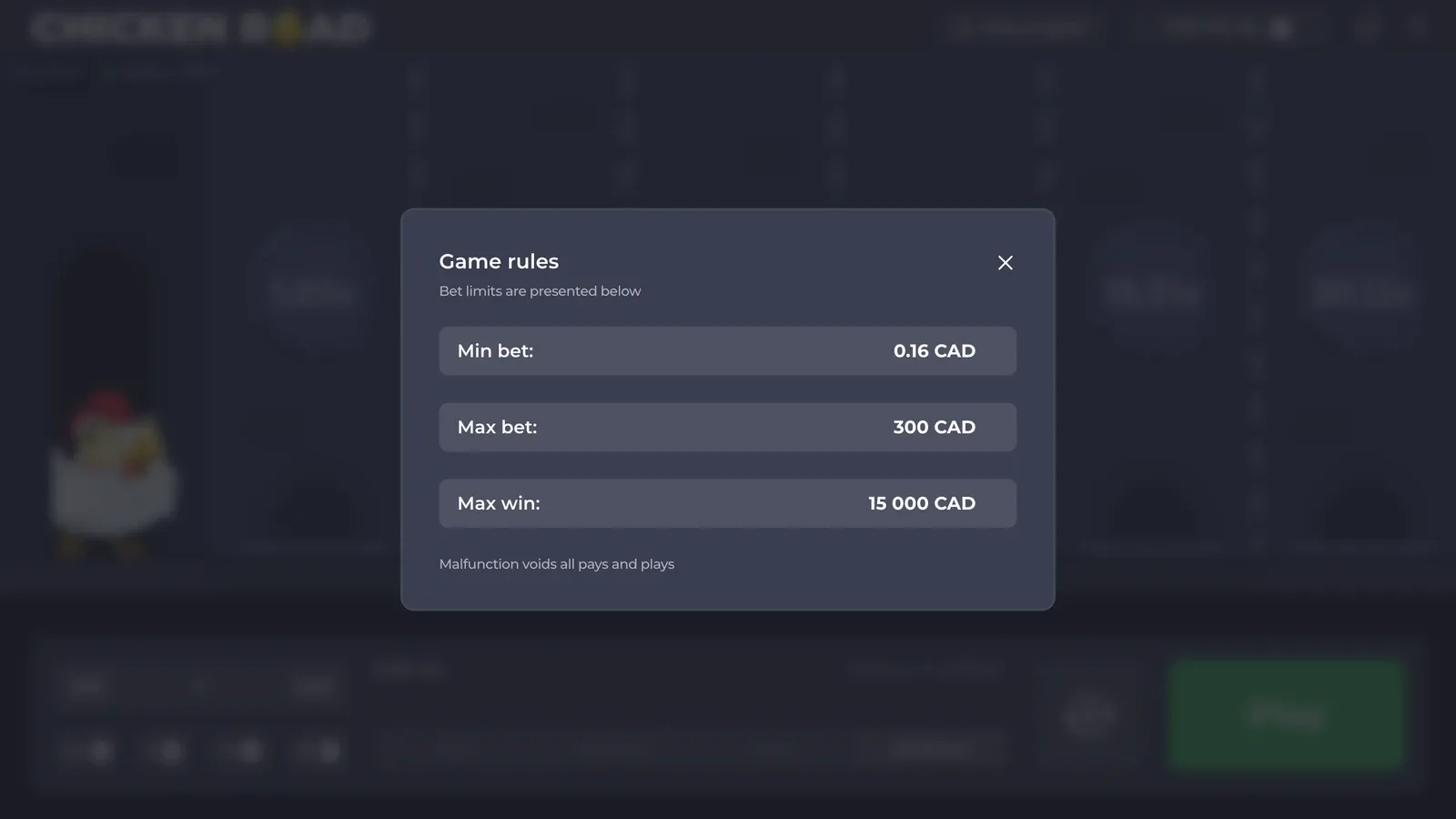
A road of 24, 22, 20 or 15 lanes, depending on the level. Under some lanes there is fire. Each lane you survive raises the multiplier written on its disc. Cash out pays your stake times the current multiplier; a trap ends the round and takes the stake. The game's own "How to play?" panel says the same in six lines and ends with "Malfunction voids all pays and plays".
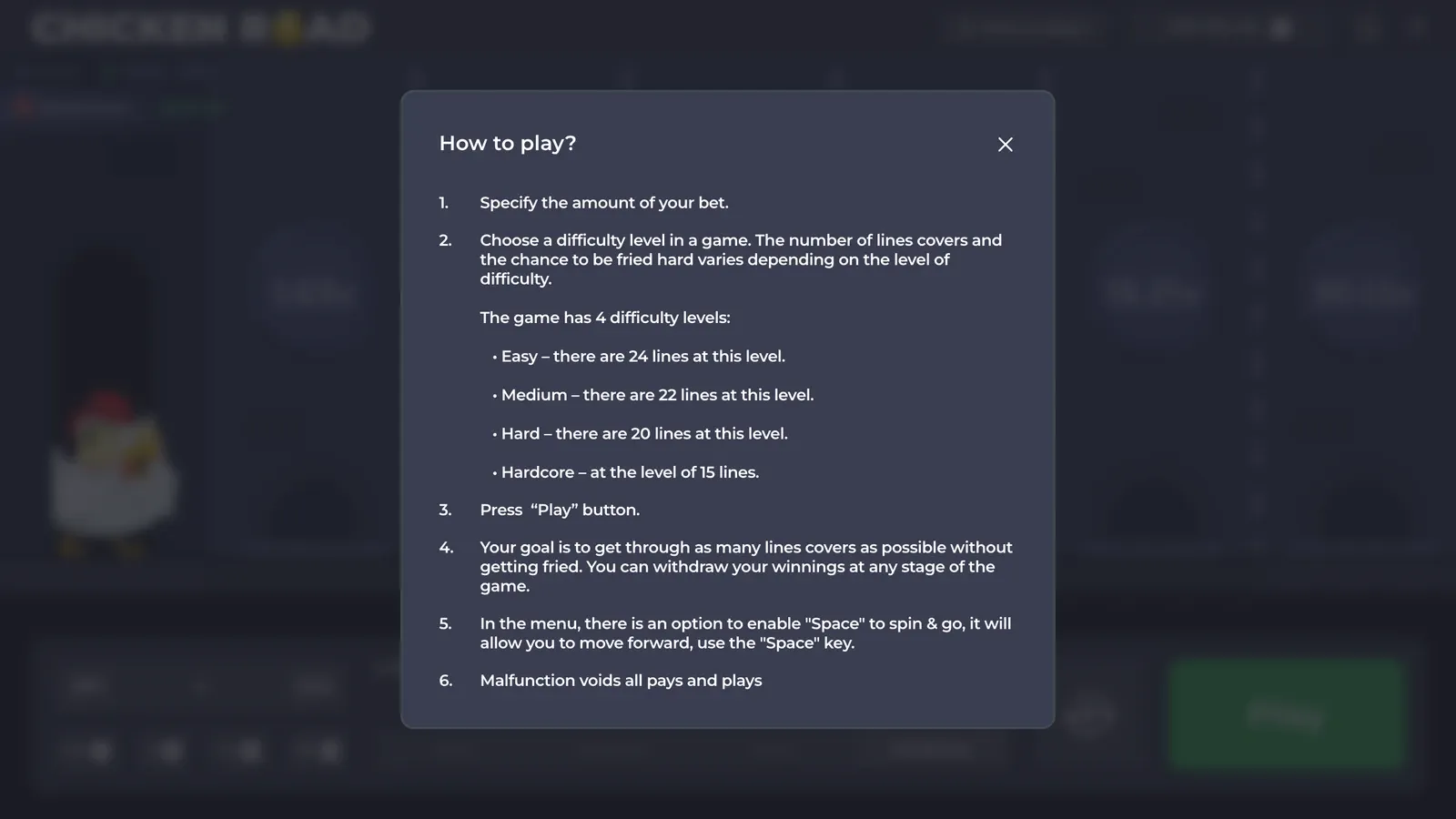
The Chicken Road screen, numbered
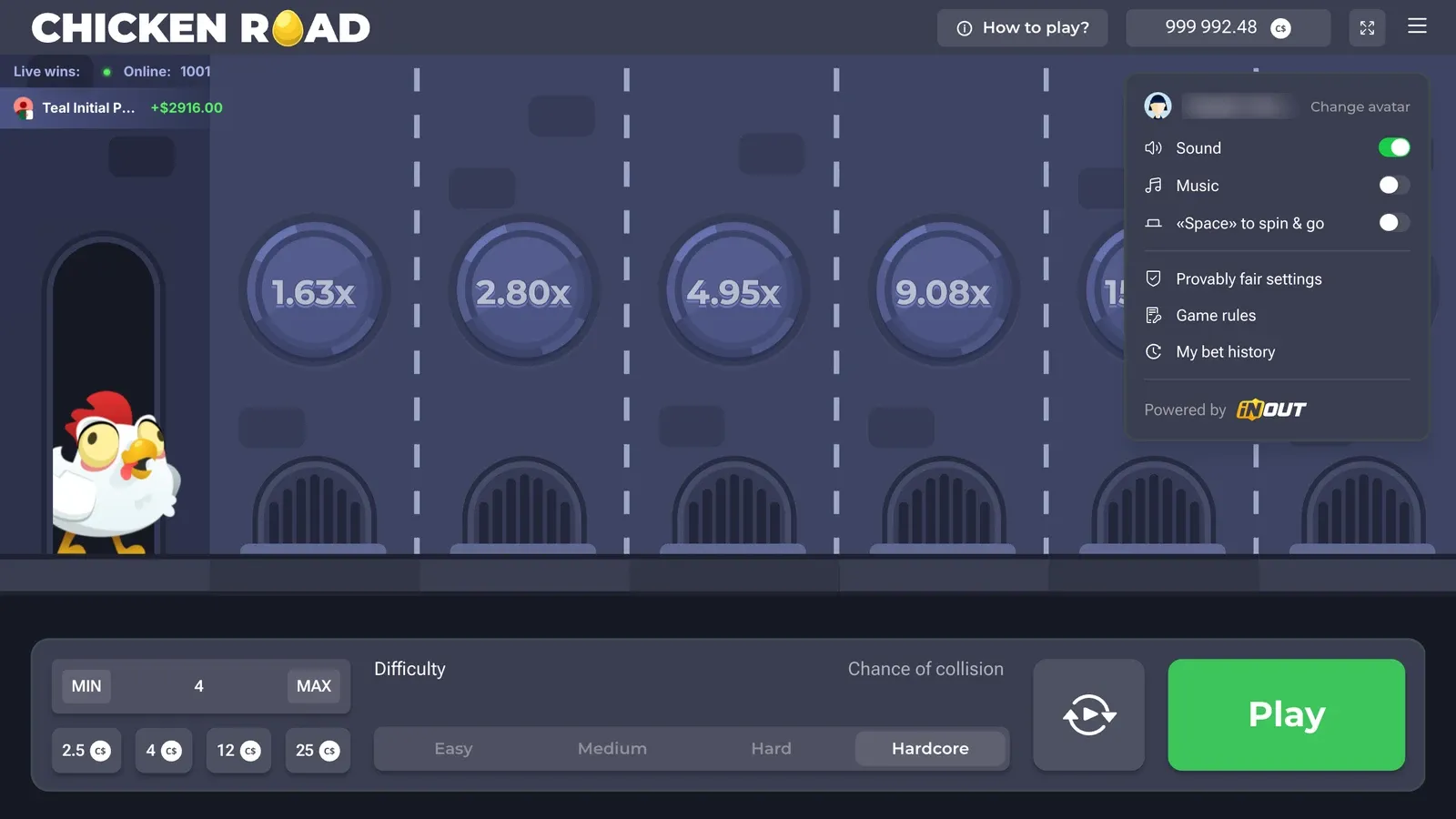
The image below marks every element you need. Under it, what each one does.
- Logo and "How to play?" The rules panel, always one tap away.
- Balance, in C$. In the demo it starts at 1,000,000.
- Full screen and menu (☰). Sound, music, keyboard play, provably fair, rules, history.
- "Live wins" and "Online". A feed of other rounds. It does not affect yours.
- The chicken, on the pavement before the first lane.
- The lanes. Each disc shows what cashing out on that lane pays.
- The grates. Where the fire comes from. You do not know which ones are hot.
- Stake field with MIN and MAX.
- Quick chips: C$2.5, 4, 12, 25.
- Difficulty: Easy, Medium, Hard, Hardcore, labelled "Chance of collision".
- Autoplay (circular arrows).
- Play, which becomes Go and Cash out during a round.
Step 1: set your Chicken Road stake
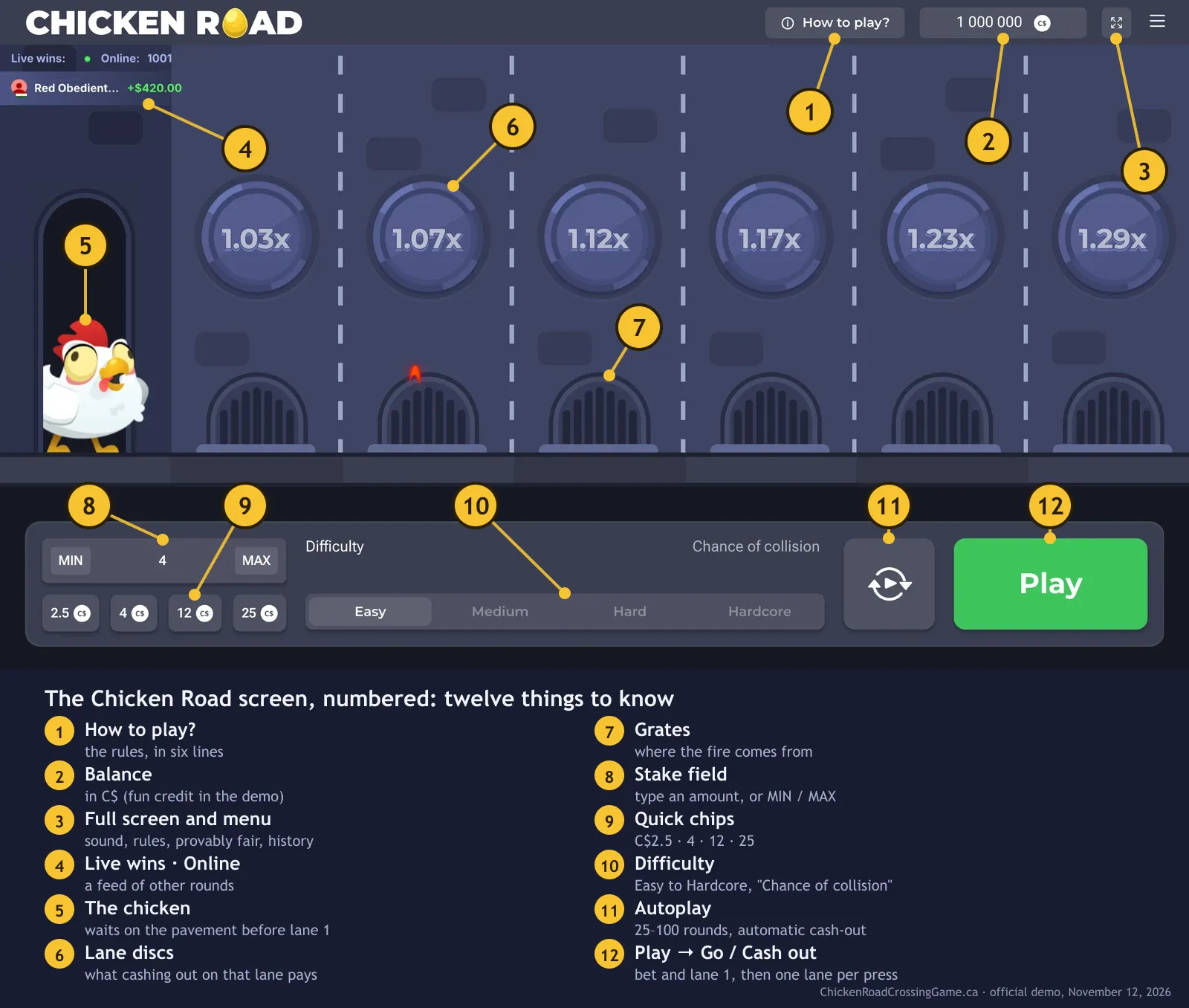
Type an amount in the field or tap a chip. MIN sets C$0.16, MAX sets C$300, the chips set C$2.5, 4, 12 or 25. The stake is fixed for the whole round: you cannot add to it halfway across.
A useful habit: pick a stake that is at most 1–2% of the budget for the session. A C$200 budget means C$2 to C$4 a round.

Step 2: choose the difficulty level
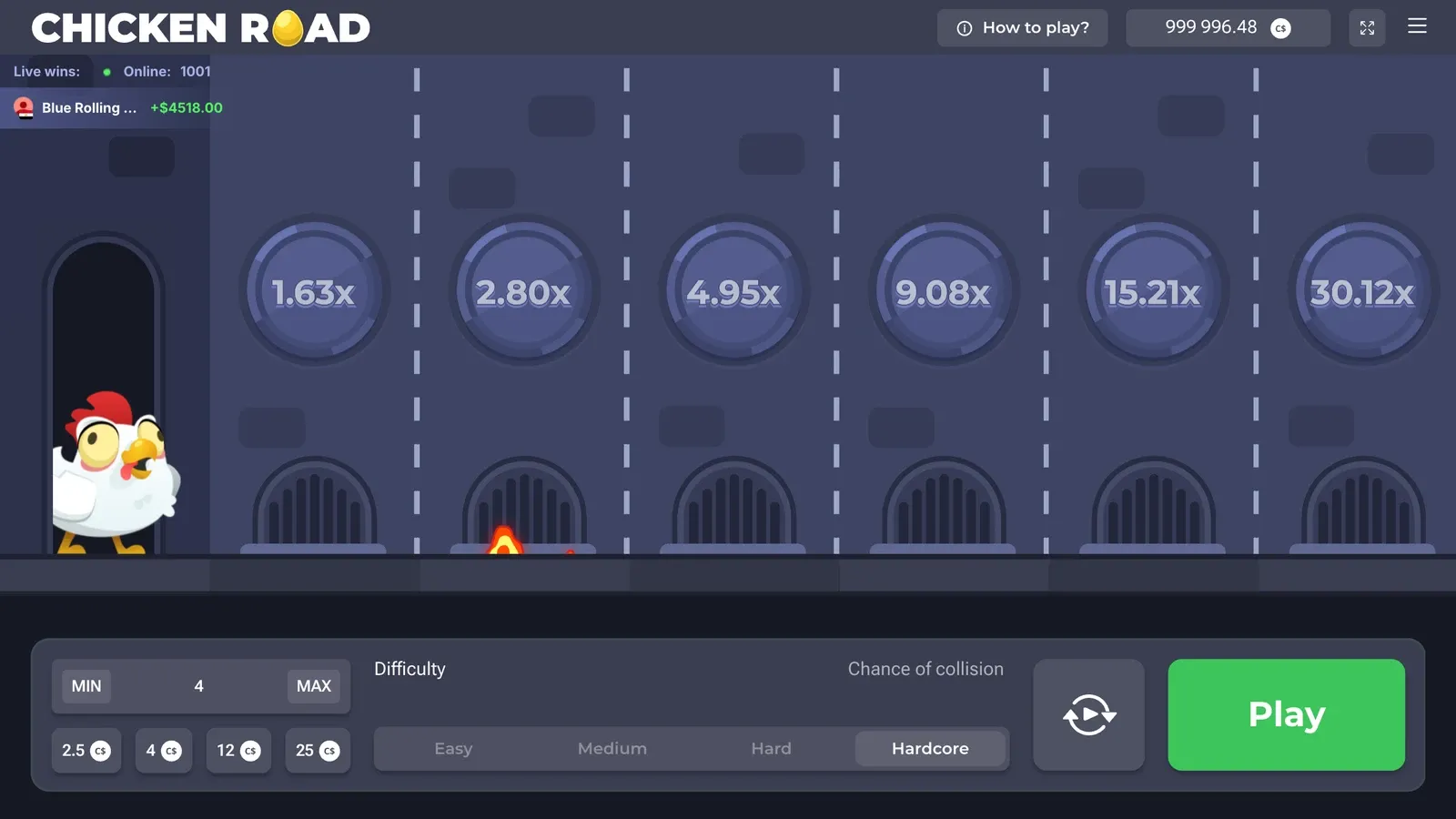
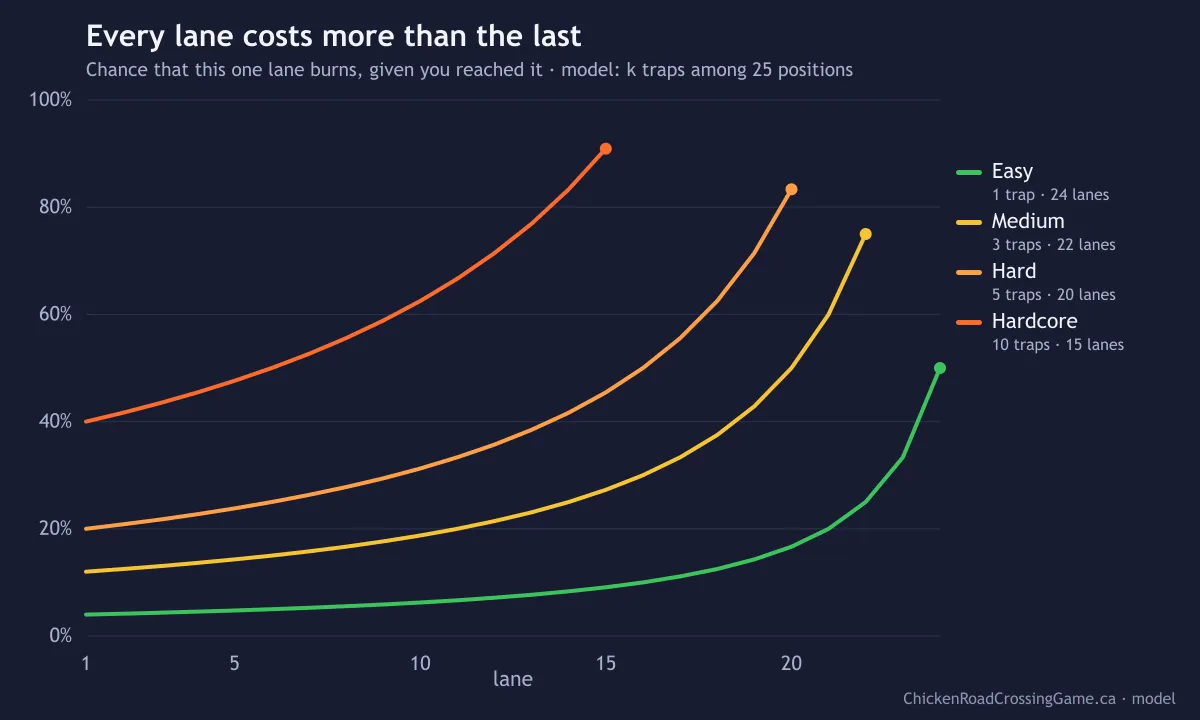
The four levels change how many traps hide on the road and how many lanes there are. Easy is gentle (1 trap in my model, 4% risk on lane 1), Hardcore is brutal (10 traps, 40% on lane 1). The level is chosen before Play and cannot be changed once the chicken is on the road.
| Level | Lanes | Lane 1 | Lane 5 | Lane 10 | Last lane |
|---|---|---|---|---|---|
| Easy | 24 | 1.03x | 1.23x | 1.63x | 19.44x |
| Medium | 22 | 1.12x | 1.98x | 4.96x | 1,788.80x |
| Hard | 20 | 1.23x | 3.36x | 15.21x | 41,321.43x |
| Hardcore | 15 | 1.63x | 15.21x | 890.19x | 2,542,251.93x |
Step 3: press Play, then Go across the lanes
Play takes the bet and puts the chicken on lane 1 straight away. From then on the green button reads Go: each press moves the chicken one more lane. If the lane is safe, the chicken stands under a green disc showing the new multiplier and the lanes behind it turn into gold coins.
There is no clock. You can wait as long as you want between two lanes. If you switch on "Space to spin & go" in the menu, the space bar does what Go does.
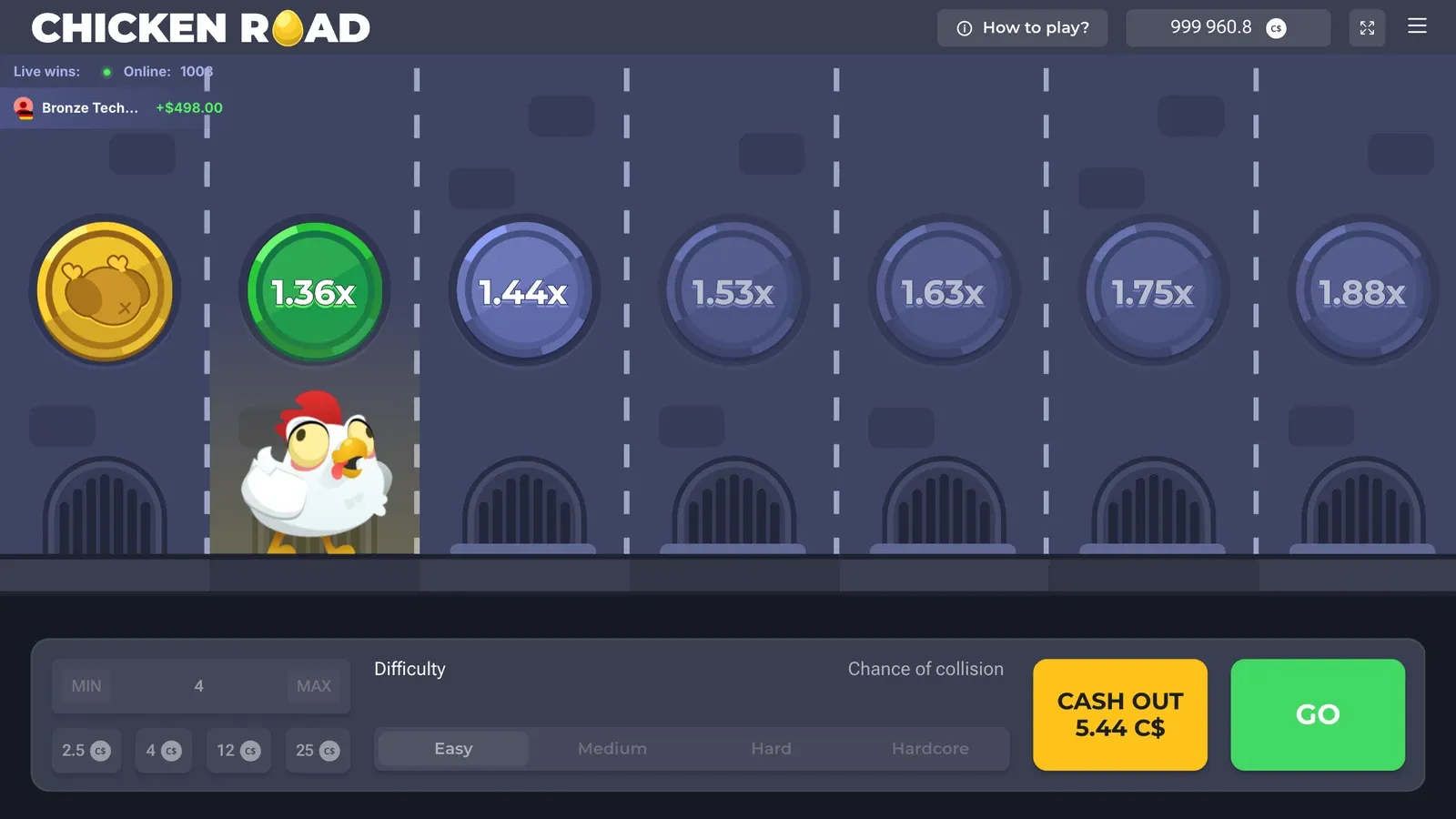
Fun credit only: nothing to win, nothing to lose. Play Chicken Road for real money →
Step 4: cash out your winnings
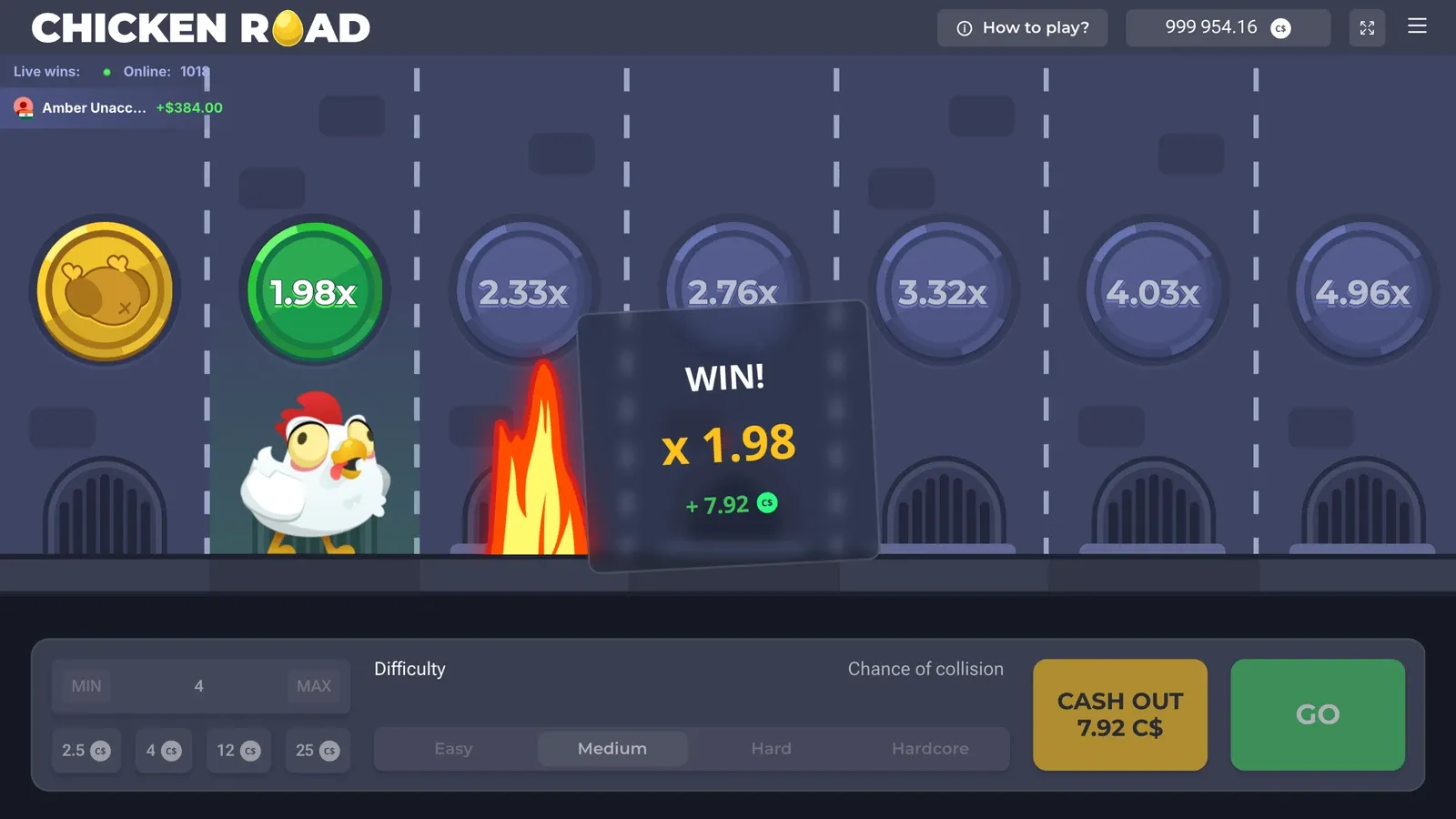
During a round the yellow button reads Cash out with the amount in C$. Press it and the amount is credited at once, with a "WIN!" box showing the multiplier. In the round on the screenshot below I cashed out on lane 5 of Medium: 1.98x, C$7.92 on a C$4 stake. The next lane would have burned.
You can cash out on any lane, including the first one, right after Play.
What happens when the chicken gets fried
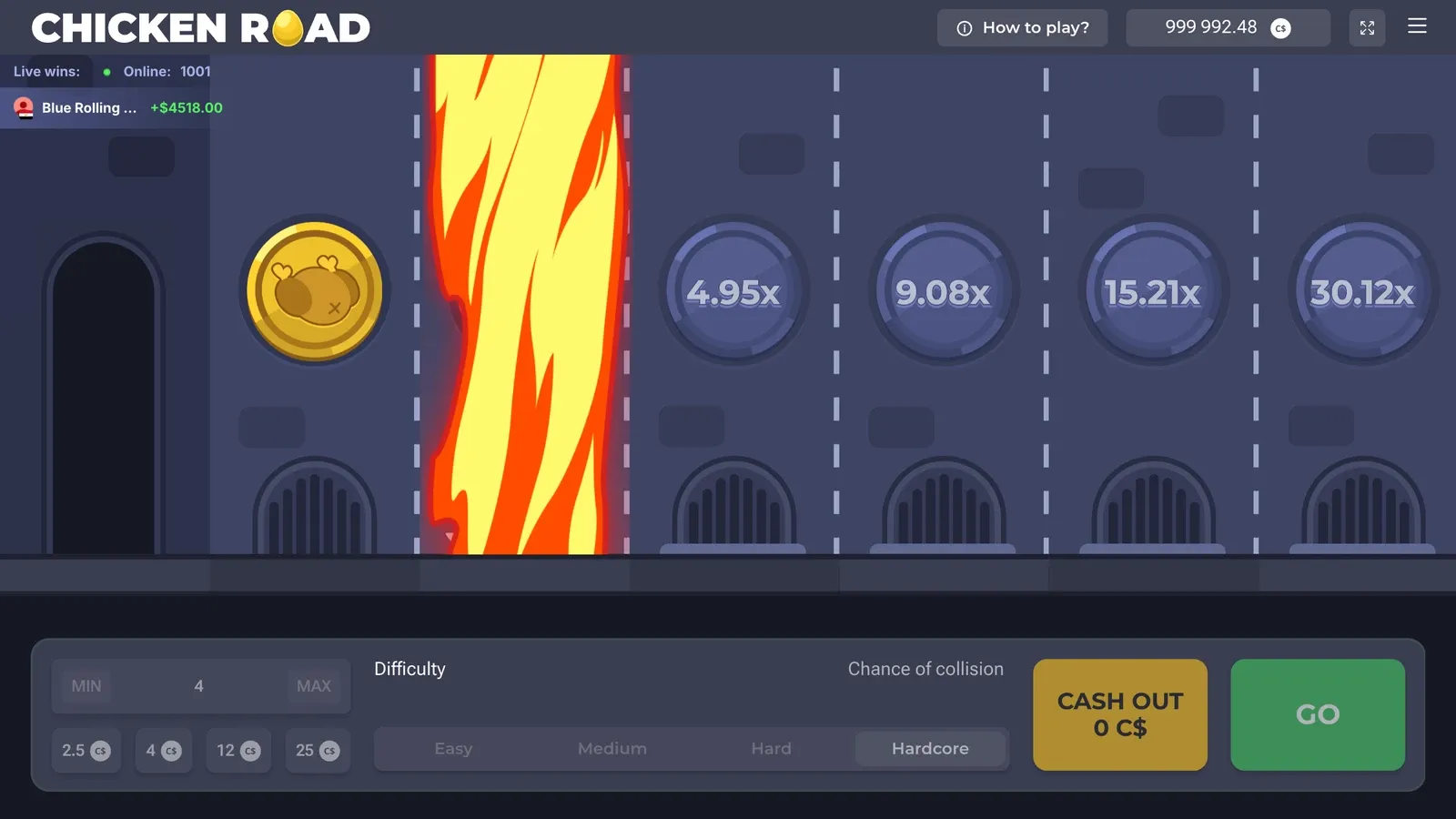
A trap ends the round on the spot: a column of fire shoots from the grate, the chicken is roasted, the Cash out button drops to 0 and the stake is gone. Nothing you pressed before matters any more; the next round starts from the pavement.
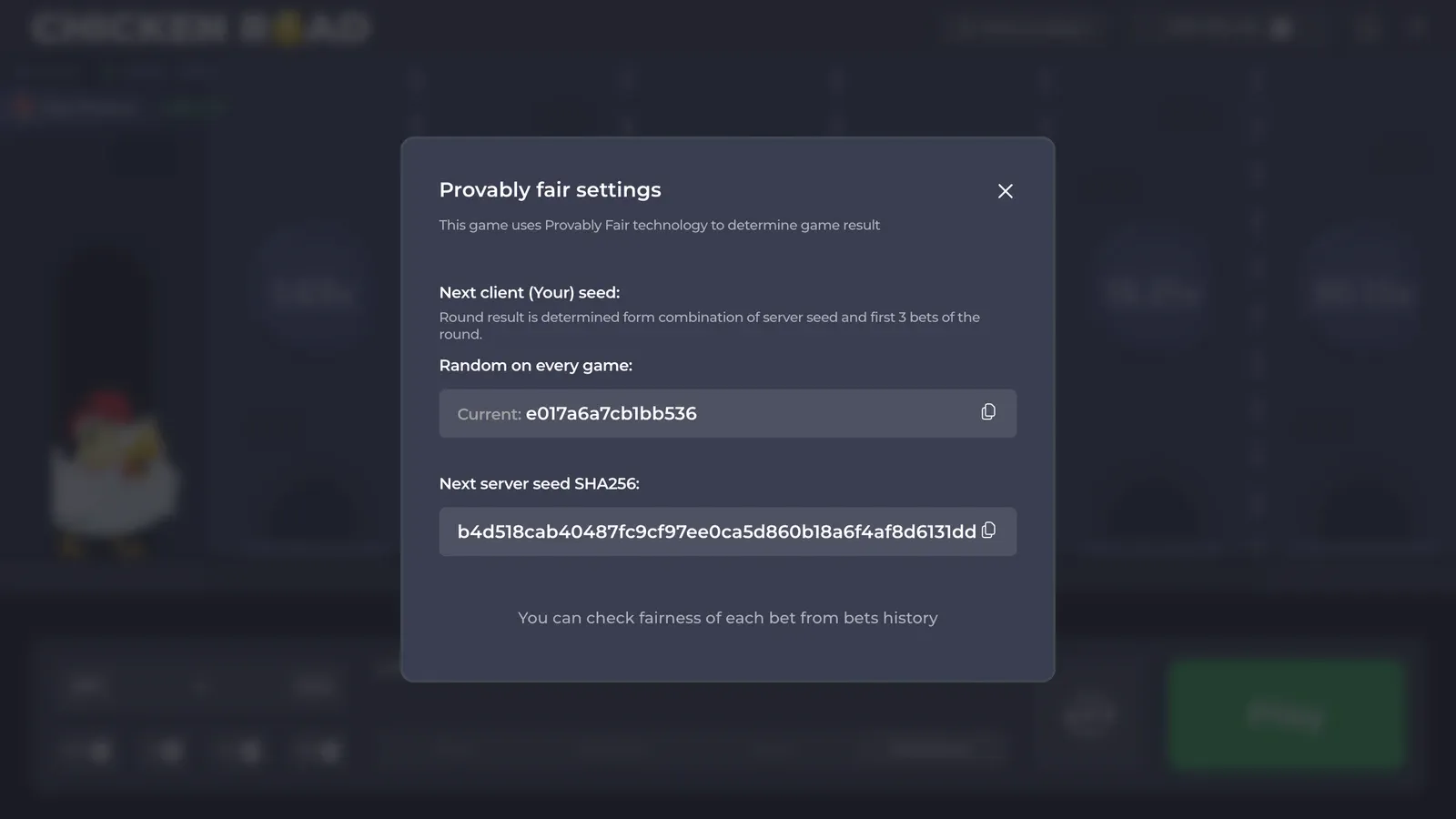
The trap positions were fixed before the round started. The provably fair panel shows the hash of the server seed in advance, so they could not be moved after you chose your lane.
Chicken Road autoplay: a rule that plays itself
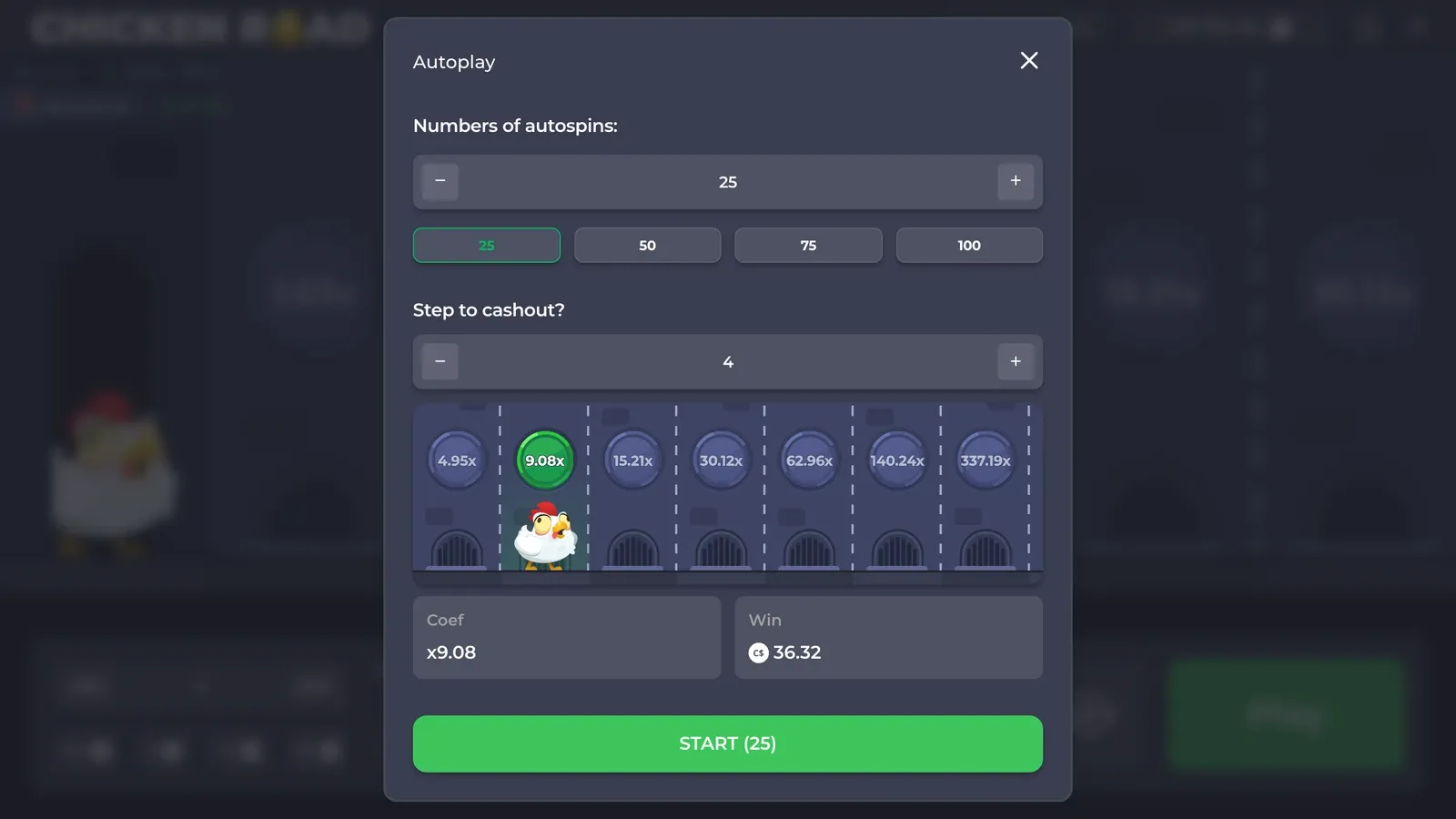
The circular-arrows button opens the Autoplay panel:
- Numbers of autospins: 25, 50, 75 or 100 rounds, or any count with − and +.
- Step to cashout?: the lane where every round cashes out automatically. A strip of the road shows which disc that is.
- Coef and Win: the multiplier of that lane and what it pays on your stake.
- START (25): runs the rounds.
Each round of an Autoplay run is the same as a manual one: same table, same risk. What it removes is the temptation to take one more lane. It exists in Chicken Road; the Chicken Road 2 demo has no Autoplay button.
How to play Chicken Road on a phone
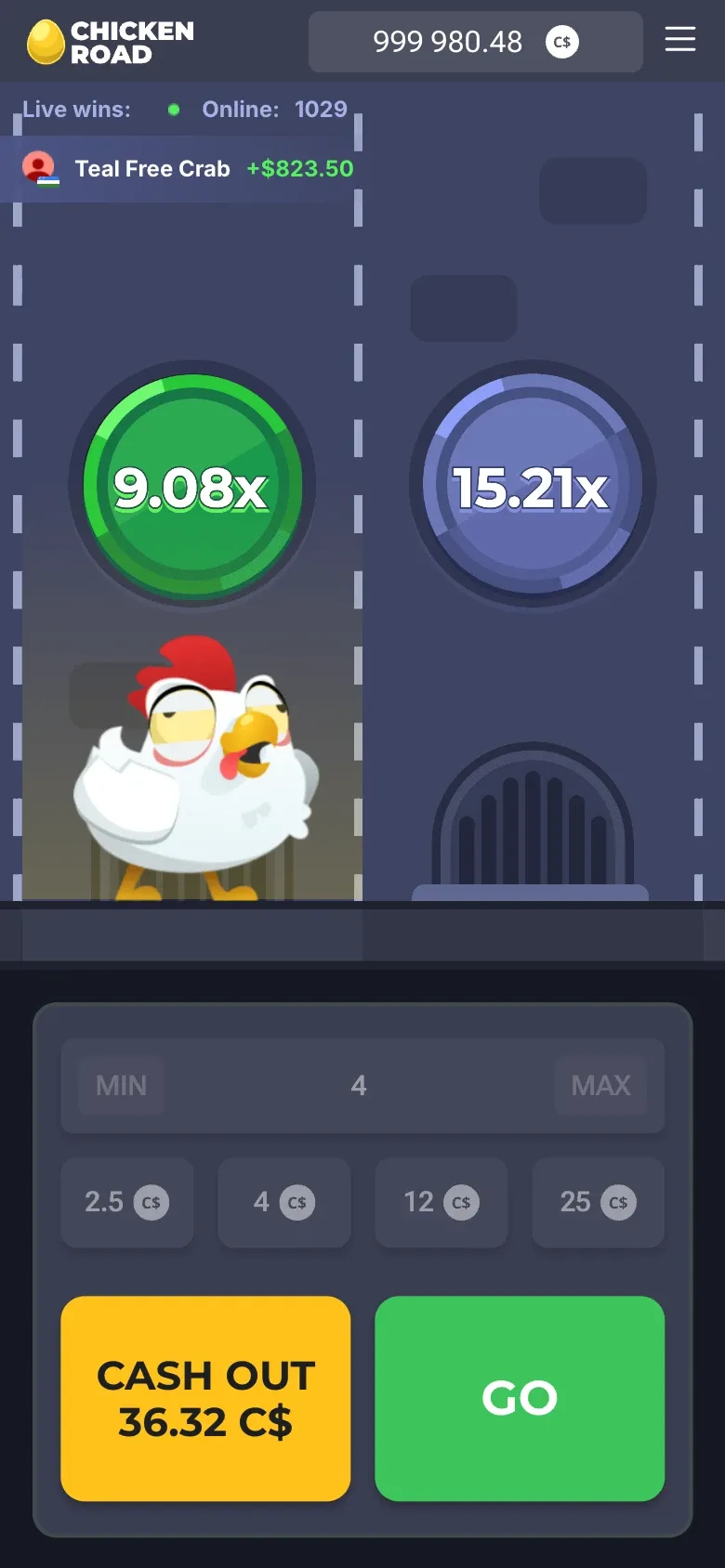
Upright, the road shows two lanes at a time and the bar keeps the stake field and chips above two big buttons, Cash out and Go. The difficulty selector is not on screen while a round runs, so check the level before Play. Everything else is the same.
Five Chicken Road mistakes to avoid
- No cash-out lane decided in advance. The next disc always shows the prize, never the risk.
- Hardcore "for one try". 40% of rounds burn on the first lane.
- Chasing a loss with a bigger stake. The odds of the next round do not change.
- Aiming for the last lane. It returns 77.8% of stakes in my model, against about 98% for an early cash-out.
- Forgetting the C$15,000 cap. At high stakes, the big multipliers are not payable in full.
Play Chicken Road for real money
The same road as the demo, with Canadian dollars. Three numbers to know before you press the button:
19+ (18+ in Alberta, Manitoba and Quebec).
FAQ on how to play
How do you win in the Chicken Road crossing game?
By pressing Cash out after one or more safe lanes. The win is your stake times the multiplier on the lane where you stop, up to C$15,000 per round.
Can I change the difficulty during a round?
No. The level is set before you press Play and stays the same until the round ends.
What does "Chance of collision" mean?
It is the label the game puts above the difficulty selector: the higher the level, the more traps on the road and the higher the chance that the next lane burns.
Is there a keyboard shortcut?
Yes. Turn on "Space to spin & go" in the menu and the space bar moves the chicken forward.
What happens if my connection drops?
The game's rules say "Malfunction voids all pays and plays". How an interrupted round is settled depends on the casino's own rules, so check them before playing for money.
Your turn to play Chicken Road
You know how it works and what every lane costs. Set the budget and the cash-out lane first, then press the button.
19+ · free demo first · play responsibly